


NIV Bible
4.9571.00 Reviews
App Specs
- Version
- 10.2.557
- Updated On
- License
- Free
- Downloads
- 500,000+
- Developer
- Tecarta, Inc.
- Categories
- Books & Reference
- Platform
- Android, iOS
Screenshots

 Analysis by AppCompare
When a Bible app feels harder to use than a printed book, I tend to abandon it. With the NIV Bible, the main appeal is having a familiar translation alongside tools for building a more regular reading habit. Still, an app’s value depends on how well its features fit your routine, and a few practical checks can prevent small setup snags from getting in the way.
Where getting started can feel less simple
The first decision is what you actually want from a Bible app. If you mainly need to look up a passage, a plain reader may be enough. If you want a daily prompt, audio, devotional material, prayer, and structured plans in one place, Tecarta, Inc.’s NIV Bible offers a broader set of options. That range is useful, but it also means there can be more to explore than someone seeking only a quick reference expects.
I’d start with one task rather than trying every feature at once: open a passage, change the text to a comfortable size, and decide whether you prefer reading or listening. Then try a plan or devotional when you have time to see how it fits. This keeps the app from becoming another collection of unfinished setup choices, and it gives you a clearer sense of whether its extra tools are genuinely useful to you.
Small setup checks that help
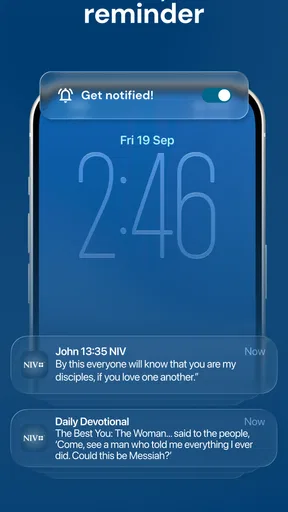
Before relying on a daily verse as part of your morning, check that notifications are allowed in your device settings and that the app’s own notification options suit you. If a reminder does not appear, it may be a device setting rather than a problem with the reading content. Likewise, if listening is your preferred way to use it, test the audio at a convenient time before planning around it on a commute or walk.
Reading comfort deserves the same attention. Text that looks fine in a short passage can become tiring during a longer session, so I’d adjust the display first and read a few pages before settling on a setting. If you use notes, highlights, and bookmarks, try each on a passage you can easily find again. That simple trial helps you learn how your personal study habits map to the app’s tools without turning a quiet reading session into a search for controls.
Getting Started with the NIV Bible App
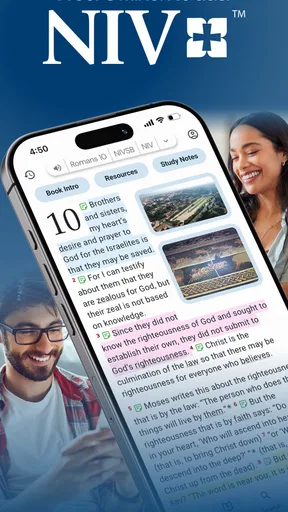
Downloading and setting up the NIV Bible app is a breeze. Whether you’re on an Android or iOS device, you’re only a few taps away from diving into the scriptures. Once installed, the app welcomes you with a clean and intuitive interface, which is so refreshing compared to some of the cluttered apps out there. It’s like opening a crisp, new book with that fresh paper smell, but, you know, digital.
Features That Stand Out
One of the things I love is how the app isn’t just a simple Bible reader. It’s packed with features that make it super functional and user-friendly. For starters, it comes with a daily verse notification. Sometimes, just having that one verse ping me in the morning sets a positive tone for the day. It’s like having a little divine nudge to start things off right.
Worth Reading Before You Choose

EA SPORTS FC Mobile 26 Is a Bigger Football Game, but It Takes Time

Flipboard Shows What News Apps Must Do Beyond the Feed

Switching to Android Auto Means Rethinking Your Driving Routine

Google Calendar Makes a Crowded Week Easier to Manage

Ludo King Makes the Most of the Minutes Between Plans

Baby Panda World Brings Quick Play to Modern Phones, but Its Game Library Feels Busy
Then there’s the search functionality. Ever tried finding a particular verse and ended up flipping through pages endlessly? With this app, you can search by keyword, and boom, there it is! Whether you're looking for "love," "faith," or any other keyword, the app serves it up faster than you can say "Amen."
Customization and Personalization
Another gem within this app is the customization options. You can adjust the font size, style, and even the background color to suit your reading preference. It’s like having your own personal Bible, tailored to your style. Plus, you can highlight verses, add notes, and bookmark your favorite passages, making it super easy to keep track of where you left off or what’s resonating with you at the moment.
Audio Bible and More
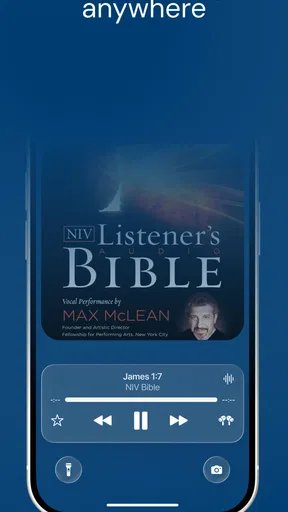
If you’re someone who prefers listening over reading, the audio Bible feature is a game-changer. Just plug in your headphones and let the app read the scriptures to you. It’s perfect for those busy mornings or when you’re on your evening walk. It's like having your own personal narrator, making the Word come alive as you go about your day.
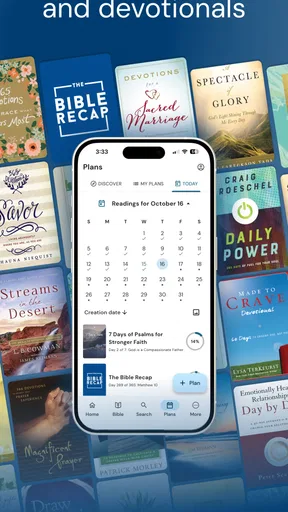
And let’s not forget the reading plans. Whether you want to tackle the Bible in a year or focus on specific themes like "peace" or "gratitude," there’s a plan for you. It’s a fantastic way to stay committed and structured in your reading.
Connectivity and Community
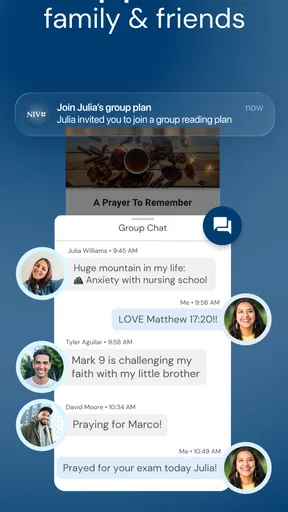
In a world that’s more connected than ever, the app doesn’t fall short. You can connect with friends, share verses on social media, and even engage in group reading plans. It’s like being part of a virtual Bible study group, breaking down geographical barriers and bringing people together over shared faith and curiosity.
Getting back into a useful routine
If I lose my place in a plan, I don’t try to compensate by rushing through several readings at once. I return to the last passage I remember and continue from there; consistency matters more than catching up mechanically. A bookmark can make that return easier, while a note beside a verse can preserve a question or thought for later. Those tools work best when they stay lightweight rather than becoming a second journal I feel obliged to maintain.
For a busy day, I’d use the app in a small, deliberate way: read the daily verse during breakfast, save a passage that raises a question, and return to it when I have a quieter moment. On a walk, audio can make scripture accessible when looking at a screen would be inconvenient. I would avoid relying on audio while doing anything that needs full attention, and I’d test the volume and playback in a calm setting first.
How it fits beside other Bible options
Compared with a basic Bible reader, this app is more oriented toward habit-building: the verse prompt, plans, devotional content, audio, and prayer tools give you several ways to engage beyond opening a chapter. A printed Bible remains better for anyone who wants a screen-free reading session or prefers to mark pages by hand. A minimal digital reader may suit someone who wants fewer prompts and choices, while a study-focused resource may be preferable if detailed scholarly commentary is the priority.
The NIV translation is also a meaningful part of the choice. If you already read and understand the NIV, having it on your phone can make quick passage lookups and planned reading feel familiar. If you prefer another translation, check that the available text meets your needs before making this your main reference. I would treat the app as a convenient reading companion, not assume that every reader will find one translation or one set of tools right for them.
What to expect from the free app
The app is free to download, and it is listed for Everyone, which makes it approachable for a broad range of readers. It has a 4.9 average from around 14,000 ratings, with more than 500,000 installs. In-app purchases range from $0.99 to $299.99 per item, so I’d look carefully at any purchase prompt and decide whether an optional item is relevant before spending. You do not need to treat every available extra as part of the basic reading routine.
Its current version is 10.2.335, it was released on July 11, 2024, and it requires Android 8.0 or later on Android devices. If an option behaves differently from what you expect, first make sure the app and device are in a usable state, then close and reopen the app and try the same action again. For persistent issues, checking the device’s available app updates and settings is a sensible first step; avoid changing several settings at once, so you can tell what actually helped.
When a problem may be elsewhere
A missing reminder can come down to notification settings, and an audio interruption can be tied to the device’s sound or connection rather than the passage itself. If a plan feels difficult to follow, the issue may be that its pace does not match your week; choosing a smaller reading window is more realistic than turning a missed day into a reason to quit. Search is also easier when you try a distinctive word or a known book and passage, rather than a broad term that could appear in many places.
I’d skip this app if I wanted a completely screen-free experience, if I strongly preferred a translation other than NIV, or if I only needed a very plain reader and would never use audio, plans, or devotional prompts. It is a better fit for someone who appreciates having several kinds of Bible engagement together and is willing to choose only the parts that help.
Final Thoughts
In conclusion, the NIV Bible app isn’t just about reading the Bible; it’s about enhancing your spiritual journey in a way that fits seamlessly into modern life. It’s user-friendly, packed with features, and brings a sense of community and personalization that traditional reading sometimes lacks.
If you’re looking to deepen your understanding of the scriptures, or even just sprinkle a bit of inspiration throughout your day, this app is worth a download. With its thoughtful design and rich features, it’s like having a spiritual companion in your pocket. So why not give it a try and see how it transforms your daily routine?
My practical verdict
My recommendation is to begin with one habit you can keep: a short reading after breakfast, a verse saved for later, or audio during a walk. After that feels natural, add a plan or devotional if it fills a real need. This approach makes the app’s range a strength instead of a distraction, and it gives you a fair way to judge whether its combination of NIV reading and supporting tools belongs in your day.
Pros
- User-friendly interface for easy navigation.
- Offline access to the Bible text.
- Daily devotionals for spiritual growth.
- Bookmark and highlight favorite verses.
- Multiple language support for global users.
Cons
- Contains ads in the free version.
- Limited audio Bible features.
- Requires account for some features.
- Occasional performance lags reported.
- Some translations need in-app purchase.
FAQs for NIV Bible
What features does the NIV Bible app offer?
The NIV Bible app provides a comprehensive digital Bible experience, featuring the full New International Version text. Users can enjoy audio readings, daily devotionals, and verse highlighting. The app also offers note-taking capabilities, Bible study plans, and a search function to easily locate specific verses or topics.
Is an internet connection required to use the NIV Bible app?
While an internet connection is required for initial download and certain features like audio streaming and updates, the NIV Bible app allows users to download the Bible for offline reading. This ensures you can access the scriptures and your personal notes anytime, anywhere, without needing an internet connection.
Can I customize the reading experience in the NIV Bible app?
Yes, the NIV Bible app offers several customization options to enhance your reading experience. Users can adjust font size and style, switch between light and dark modes, and set reading reminders. These features allow you to tailor the app to your personal preferences for a more comfortable and engaging experience.
Does the NIV Bible app offer any study tools?
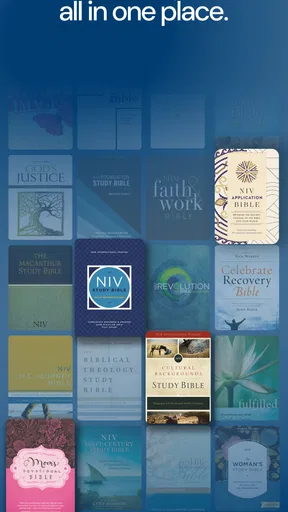
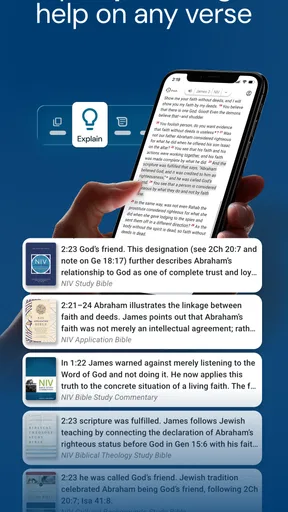
The NIV Bible app includes a variety of study tools to deepen your understanding of the scriptures. These tools include verse-by-verse commentaries, cross-references, and access to multiple translations. Additionally, users can join Bible study plans and share insights with community groups, making it a valuable resource for both individual and group study.
Is the NIV Bible app free to use?
The NIV Bible app is free to download and offers access to the full text of the New International Version. However, it may include in-app purchases for additional features such as premium study tools, ad removal, and exclusive devotional content. These purchases are optional and aim to enhance the user experience.


